
Download Centari – AI‑Powered Legal Deal‑Making Platform
Overview
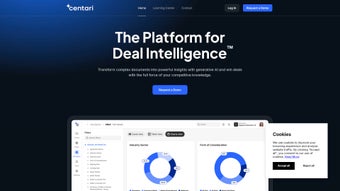
Centari is a secure, web‑based artificial‑intelligence platform designed specifically for legal teams that handle high‑volume dealmaking. By combining state‑of‑the‑art large language models with an ever‑growing repository of legal precedents, Centari transforms the traditionally manual contract‑drafting workflow into a fast, data‑driven process. Lawyers work directly inside Microsoft Word, where an intelligent search surface pulls relevant clauses, language snippets, and precedent text in real time.
The Augmented Drafting engine then suggests alternative phrasing, risk‑mitigating language, and negotiation levers, allowing practitioners to focus on strategy rather than repetitive typing. Centari’s cloud‑storage integration consolidates scattered documents into a searchable library, while the Document Q&A tool lets users ask natural‑language questions against entire agreements and receive precise answers instantly. Quick Compare redlining highlights changes across multiple versions, making version control painless.
Automation extends to contract abstraction, bulk document generation, and metadata tagging, freeing legal professionals from tedious extraction tasks. Security is a core pillar: enterprise‑grade encryption, role‑based access controls, and compliance with GDPR, CCPA, and ISO 27001 ensure that sensitive client information stays protected. Whether you’re a large law firm, an in‑house counsel group, a solo practitioner, or a law student, Centari offers a single, unified workspace that turns scattered knowledge into actionable insight, accelerating deal cycles while safeguarding confidentiality.
The platform’s AI continuously learns from the documents you upload, meaning the more you use Centari, the smarter it becomes. In practice, firms report a 30‑50 % reduction in drafting time and a measurable decline in drafting errors, making Centari a compelling investment for any organization that values efficiency, accuracy, and security in legal work.
Key Features That Transform Legal Drafting
- AI‑Driven Clause Search: Instantly retrieve relevant precedent clauses from a global library using natural‑language queries.
- Microsoft Word Integration: Draft, edit, and negotiate contracts without leaving the familiar Word interface.
- Augmented Drafting Engine: Receive real‑time suggestions for risk mitigation, alternative language, and negotiation points.
- Document Q&A: Pose questions to entire agreements and get concise answers, eliminating endless scrolling.
- Quick Compare Redlining: Visual diff of multiple contract versions with colour‑coded change tracking.
- Automated Contract Abstraction: Extract key terms, dates, and obligations automatically for faster review.
- High‑Volume Document Generation: Produce dozens or hundreds of tailored contracts from a single template with one click.
- Cloud‑Based Knowledge Library: Turn scattered PDFs, Word files, and emails into a searchable, centralized repository.
- Enterprise‑Grade Security: End‑to‑end encryption, multi‑factor authentication, and granular permission settings.
- Cross‑Platform Accessibility: Secure web portal accessible from Windows, macOS, Linux, and mobile browsers.
Each capability is built to reduce the time lawyers spend on repetitive tasks. The AI models continuously learn from the documents you upload, so the system becomes more accurate and context‑aware over time. Customizable dashboards surface pending approvals, upcoming deadlines, and risk hotspots across all active deals, giving legal managers a real‑time pulse on their pipeline.
Integration with popular cloud storage services such as OneDrive, Google Drive, and Dropbox ensures the latest version of any document is always at hand, eliminating version‑control nightmares. The platform’s open API lets firms embed its intelligence into existing contract‑management systems, creating a seamless ecosystem that aligns with any tech stack. In practice, the feature set translates into tangible business outcomes: faster turnaround, lower billable hours on routine work, and higher client satisfaction because contracts are delivered with greater accuracy and fewer back‑and‑forth revisions.
Installation & Usage – Simple Steps to Get Started
Centari is delivered as a fully hosted SaaS solution, so there is no traditional software installation on user machines. The onboarding process is designed to be frictionless even for firms with strict IT policies. First, request a trial link on the Centari website; an automated email delivers a secure invitation to create your organization’s workspace. After setting a strong password and enabling multi‑factor authentication, you’ll be prompted to link your Microsoft Office 365 or Microsoft Word desktop client. This is achieved through a lightweight add‑in that appears in the Word ribbon as “Centari AI.” The add‑in authenticates via OAuth, ensuring credentials never leave your corporate directory.
Once the add‑in is installed (the process takes under two minutes), you can begin importing documents. Drag‑and‑drop PDFs, Word files, or scanned images (processed via OCR) into the Centari portal. The platform automatically classifies each file, extracts metadata, and stores it in an encrypted cloud repository. To start drafting, open a new Word document, click the Centari tab, and select “Create Contract from Template.” Choose a pre‑built template or upload your own; the AI populates boilerplate clauses based on transaction type and jurisdiction. As you type, the Augmented Drafting engine surfaces suggested language and alerts you to potential conflicts with existing clauses.
Teams that prefer a centralized view can use the web‑based “Deal Hub” dashboard to track the status of every contract, assign reviewers, and set automatic reminders. The Document Q&A feature is accessed via a chat‑style interface: simply type a question such as “What is the termination notice period in this agreement?” and the AI scans the entire document to return the exact clause with line numbers. Redlining works by selecting two document versions from the Hub and clicking “Compare”; the resulting side‑by‑side view highlights insertions, deletions, and formatting changes in bright colours, ready for export back to Word.
Best practices recommend establishing a “knowledge taxonomy” early on—group contracts by practice area, client, or jurisdiction—so the search engine can prioritize the most relevant precedents. Because Centari complies with GDPR, CCPA, and other data‑privacy regulations, you can safely enable external collaboration by sharing a time‑limited, permission‑controlled link with clients or co‑counsel. All activity is logged in an immutable audit trail, satisfying most compliance requirements for record‑keeping. In short, getting up and running with Centari takes less than an hour, and the platform’s intuitive design means users spend the majority of their time creating value rather than learning software.
Compatibility, Pros & Cons, and Frequently Asked Questions
Compatibility
Centari runs on any modern web browser (Chrome, Edge, Firefox, Safari) and requires no client‑side installation beyond the optional Microsoft Word add‑in. It supports Windows 10/11, macOS 10.15+ (Catalina and later), and Linux distributions with a compatible browser. Mobile access is available through responsive web design, allowing attorneys to review contracts on tablets or smartphones while on the go. The platform also integrates with popular document‑management solutions (SharePoint, OneDrive, Google Drive, Dropbox) via secure APIs, making it a flexible addition to existing tech ecosystems.
Pros
- Significant time savings on drafting and review tasks.
- Deep AI integration that learns from your own document library.
- Seamless Microsoft Word experience – no need to switch tools.
- Robust security and compliance features for enterprise use.
- Powerful search and Q&A capabilities that reduce manual reading.
- Scalable cloud architecture suitable for solo practitioners to large firms.
Cons
- Subscription pricing may be a barrier for very small practices without a budget.
- Initial setup of taxonomy and templates requires a short learning curve.
- Reliance on internet connectivity; offline editing is limited to Word’s native capabilities.
- Advanced AI suggestions sometimes need human validation to avoid over‑reliance.
Review Summary: Centari delivers a compelling blend of AI‑driven drafting assistance and enterprise‑grade security, making it an indispensable tool for any legal team looking to accelerate deal cycles. While the cost may be a consideration for solo practitioners, the efficiency gains often justify the investment.
FAQ – Frequently Asked Questions
Is Centari suitable for small law firms or solo practitioners?
Yes. Although Centari offers enterprise‑level features, its tiered pricing model includes plans that are affordable for solo practitioners and boutique firms. The cloud‑based nature eliminates the need for costly hardware, and the AI tools can dramatically reduce billable hours spent on routine drafting.
How does Centari ensure data privacy and security?
Centari uses AES‑256 encryption for data at rest and TLS 1.3 for data in transit. Role‑based access controls, single sign‑on (SSO), and multi‑factor authentication are enforced by default. The platform complies with GDPR, CCPA, and ISO 27001 standards, and all audit logs are immutable.
Can I integrate Centari with my existing contract‑management system?
Yes. Centari provides RESTful APIs and pre‑built connectors for popular DMS platforms like SharePoint, iManage, and NetDocuments. This enables bi‑directional syncing of contracts, metadata, and status updates.
What kind of support does Centari offer?
Centari offers 24/7 email support, live chat during business hours, and a dedicated account manager for enterprise clients. The knowledge base includes video tutorials, best‑practice guides, and a community forum.
Is there a free trial or demo available?
Prospective users can sign up for a 14‑day free trial with full feature access. No credit‑card information is required, and the trial can be converted to a paid subscription at any time.
Conclusion – Why You Should Download Centari Today
Centari stands out as a next‑generation legal AI platform that bridges the gap between traditional contract drafting and modern, data‑driven workflows. By embedding powerful language models directly into the Microsoft Word environment, it eliminates the need for lawyers to juggle multiple applications, reducing friction and accelerating deal velocity. The platform’s security architecture, combined with its cloud‑based knowledge library, ensures that sensitive client information remains protected while still being easily searchable for future reference. Whether you’re a large firm seeking to standardise processes across dozens of practice groups or a solo practitioner looking to cut drafting time in half, Centari offers a scalable solution that adapts to your needs.
The measurable benefits—faster turnaround, lower risk of errors, and higher client satisfaction—translate into a clear ROI for any organization that adopts the tool. While the subscription cost may require budgeting, the time saved on repetitive tasks often pays for itself within a few months. Ready to experience the future of legal dealmaking? Download Centari now, start your free trial, and let AI handle the heavy lifting while you focus on strategic counsel.



.png)



